the problem
Kiosk guests struggled to find items, and guest complaints called the screen confusing.
A kiosk menu guests can find their way through, tested with a three-version coded prototype and two rounds of multi-cohort testing.
Kiosk guests struggled to find items, and guest complaints called the screen confusing.
A coded prototype in three versions at real kiosk size, tested in two rounds with several cohorts.
A hybrid menu, a phased rollout plan and a finished dev handoff.
Kiosk guests struggled to find items. Fewer guests tapped a category from the home screen than the industry benchmark, and guest complaints called the screen confusing.
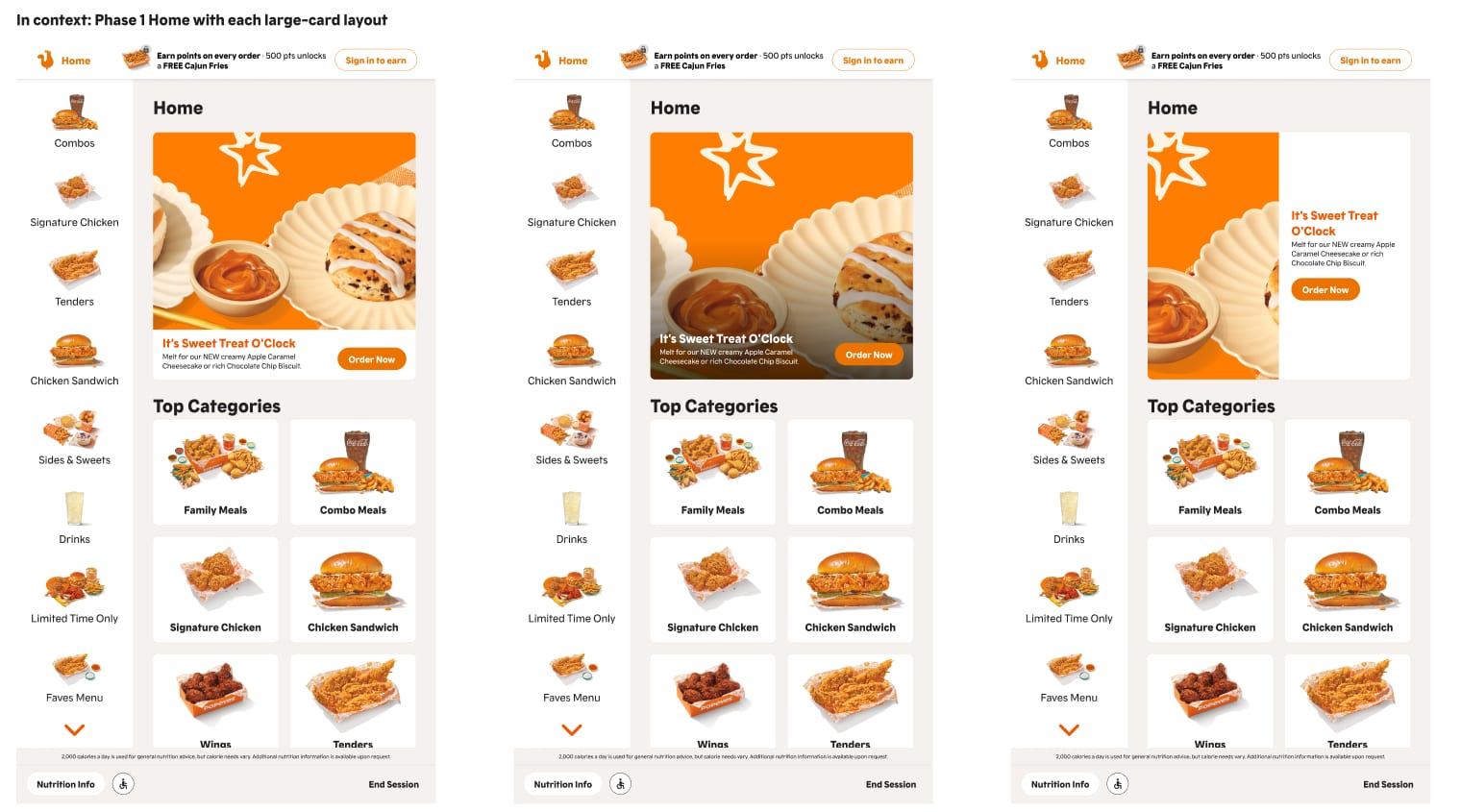
I built a working prototype in three versions at real kiosk size (1080 × 1920), with real product photos pulled from the CMS.
Each version changed one thing, so we could tell what the screen looked like apart from how it behaved. Two rounds of unmoderated testing with several cohorts, with checks so nobody landed in the wrong version.
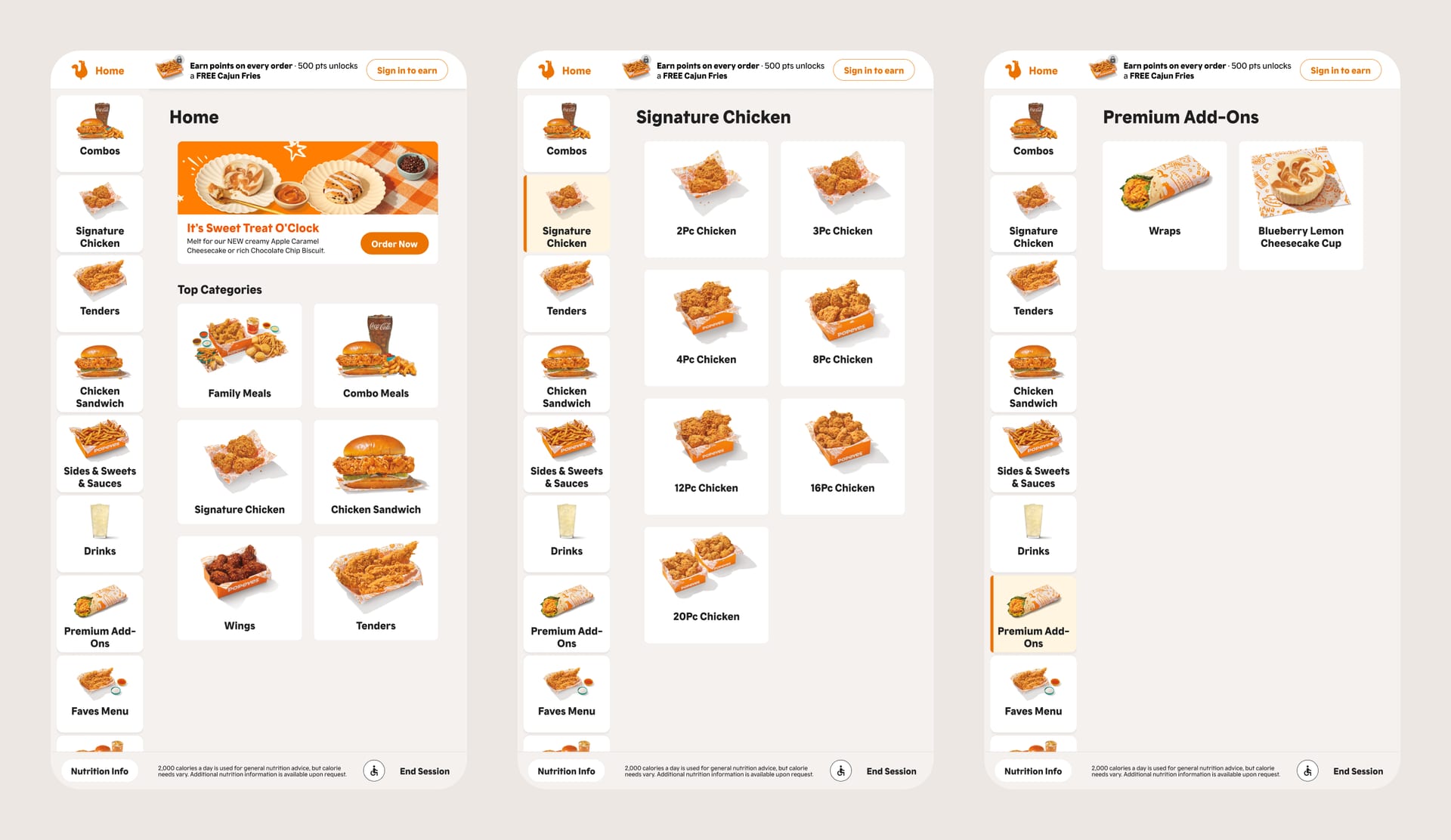
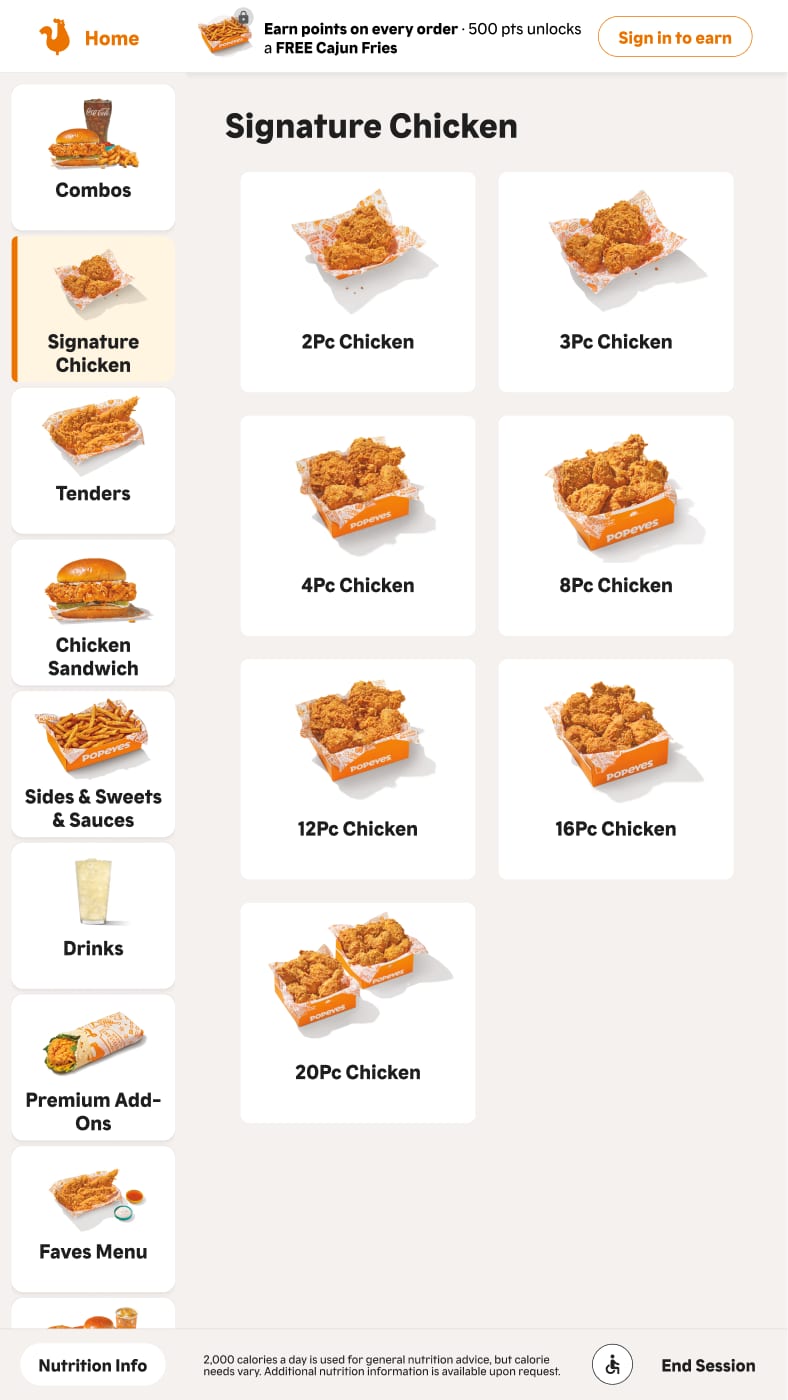
A hybrid menu: a category rail that keeps the whole menu in one scannable column.
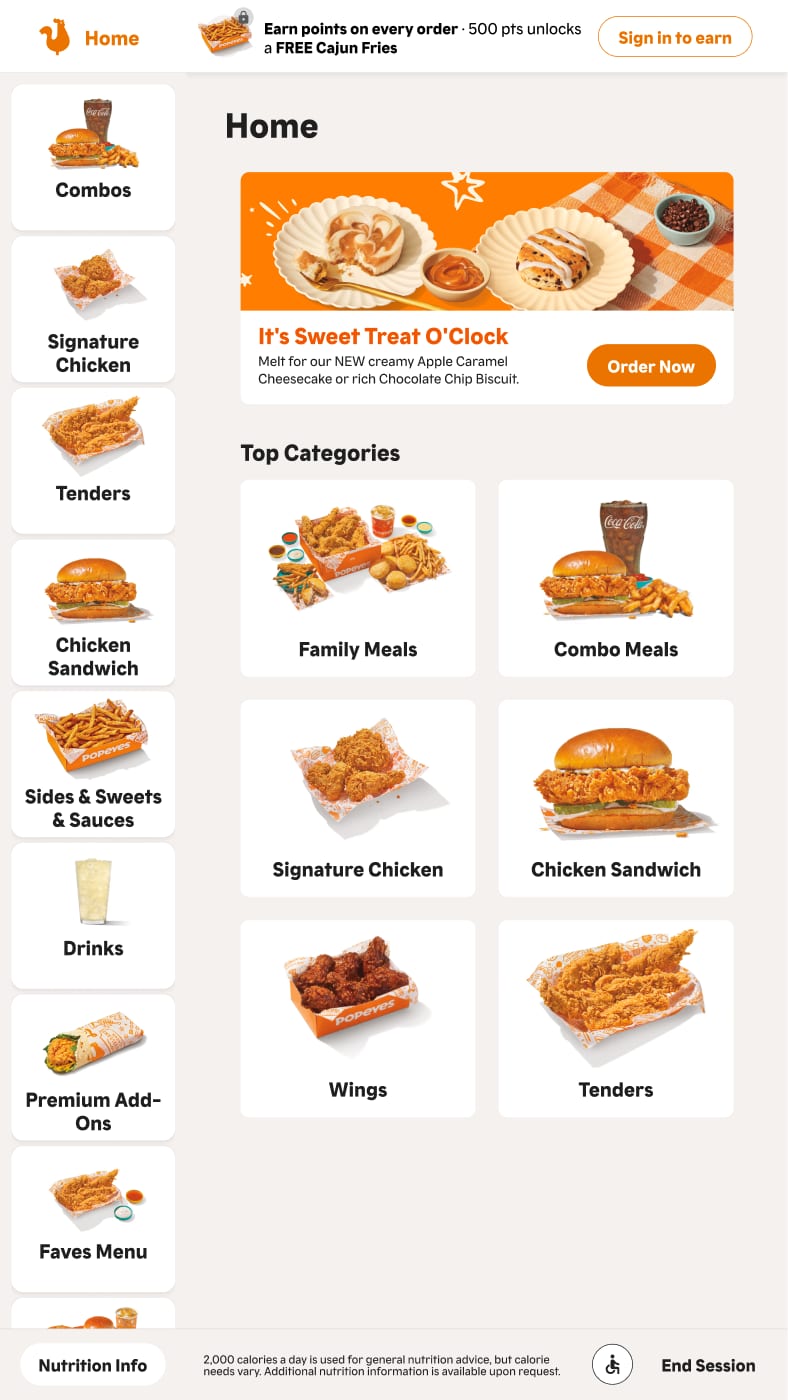
Everyone found every item, so the real finding was friction, not failure. Merged categories slowed people down. That led to the hybrid design, a phased rollout plan and a finished dev handoff.
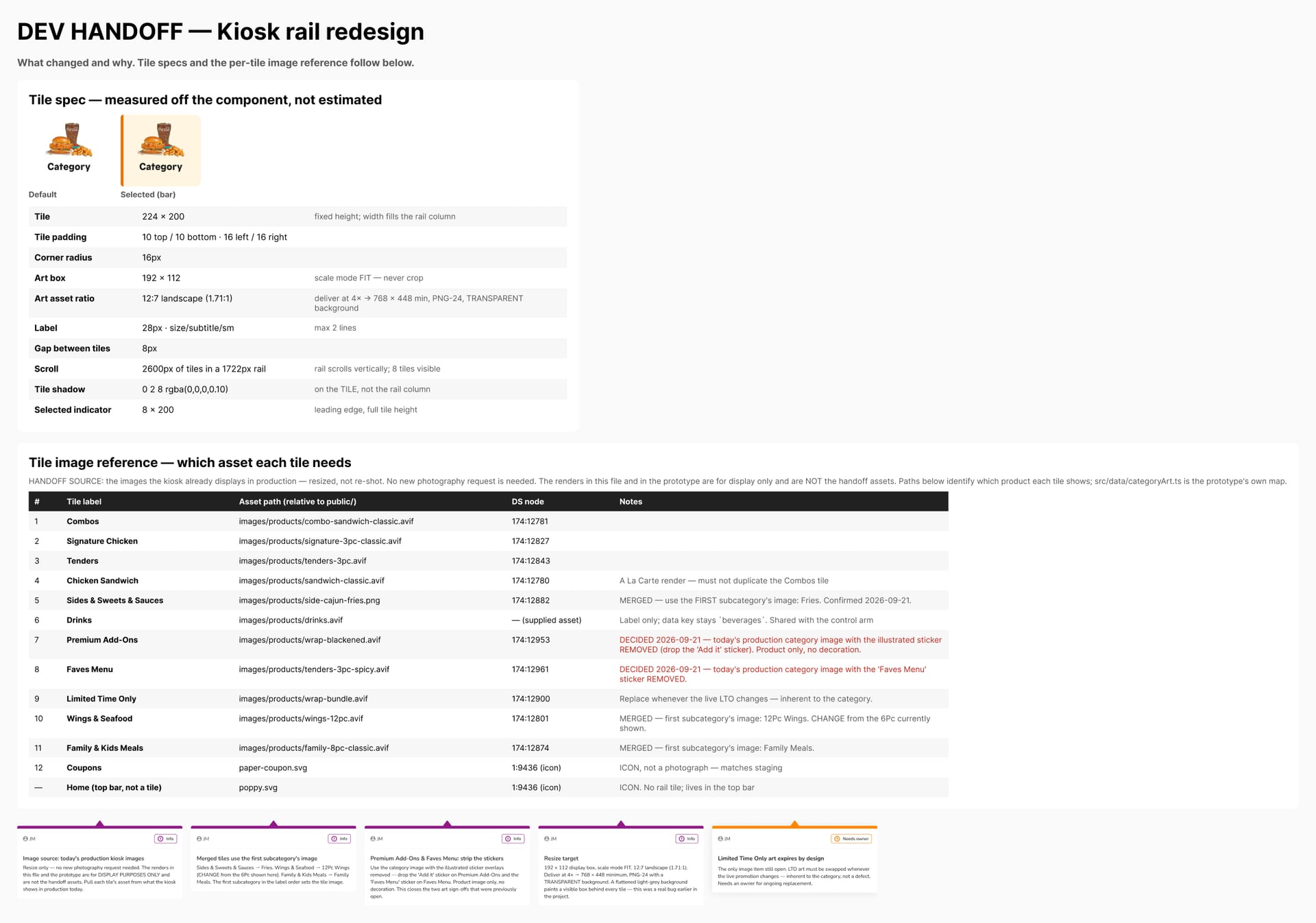
Scroll sideways for the screens that didn’t fit the story.
I moved the app’s design system from Figma-only to a versioned code package that engineers and AI coding agents use directly.
or see all 20 projects